 Horizon
Special Bot Features
Everything Horizon's extra features can do for your server, at a glance.
Channel Moderators
As a channel owner, you are in full control of your temporary voice channel. But managing a busy channel alone can be a lot. That's where Channel Moderators come in.
You can promote up to 7 members to channel moderator status directly from within Discord. Moderators share most of your moderation powers, allowing them to keep things running smoothly without you having to be present at all times.
Channel mods can kick disruptive members, block and unblock users, manage the trusted list, invite members, and more. They act as an extension of you inside your channel, without ever gaining ownership.
Channel Moderators are especially handy for larger voice sessions where you need a few trusted people to help out, or simply when you step away and don't want things to fall apart.
Moderator permissions are scoped strictly to your channel. They cannot transfer or delete the channel, and all mod assignments are cleared automatically when the channel is closed.
For more information, see Channel Moderators.
In-Channel Log for Members
Horizon can post automatic log messages directly inside your temporary voice channel, so members always know what's going on without needing any external bot or audit log access.
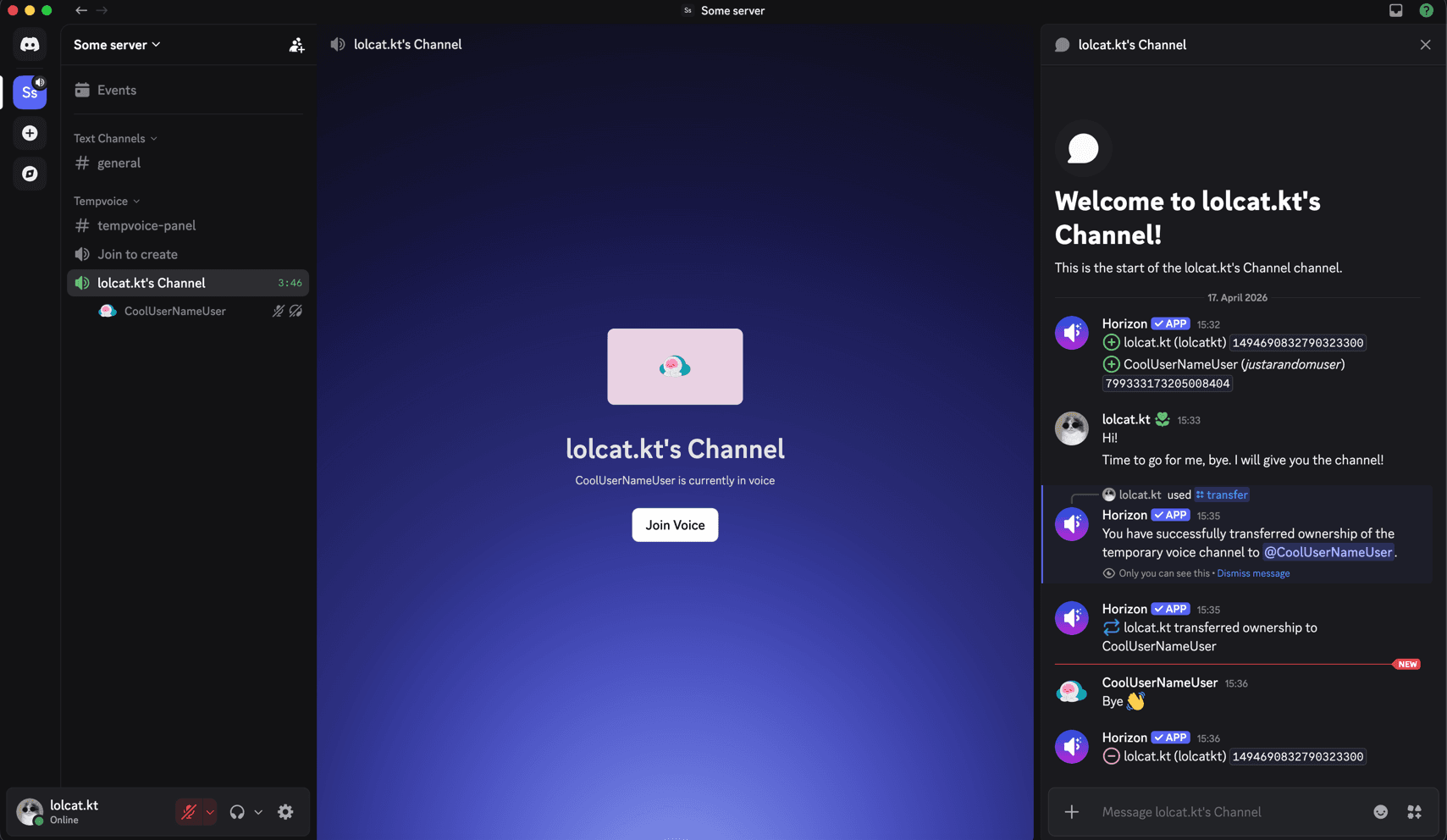
When enabled, Horizon tracks the following events and posts a short message in the channel the moment they happen:
- Joined -> A member joined the channel
- Left -> A member left the channel
- Claimed -> Someone claimed ownership after the previous owner left
- Transferred -> The owner transferred the channel to another member
Each event is prefixed with a distinct emoji so the log stays readable at a glance. Server admins can enable or disable the member log per generator and choose exactly which events to track, all from the Dashboard.