 Horizon
Moderation Log
Track everything that happens inside your temporary channels with a detailed event log.
The Moderation Log records all significant actions that happen in temporary channels created by a generator. Each event is posted as a formatted message to a channel or webhook of your choice.
Where to find this?
Open the Dashboard, select your server, pick the correct Creator Channel and navigate to the Feature Tab.
What gets logged
Setup
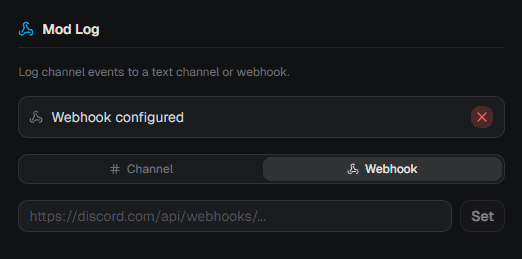
You can send logs to either a text channel or a Discord webhook.
Pick Channel to let Horizon automatically create a webhook in a channel of your choice. Once the webhook is set up successfully, the mode switches to Webhook automatically. This is expected behavior.
Pick Webhook and paste your own URL to use an existing webhook.
Note
If the webhook becomes invalid, Horizon removes it automatically to avoid errors.