

Temporary Voice Channelsfor Discord.
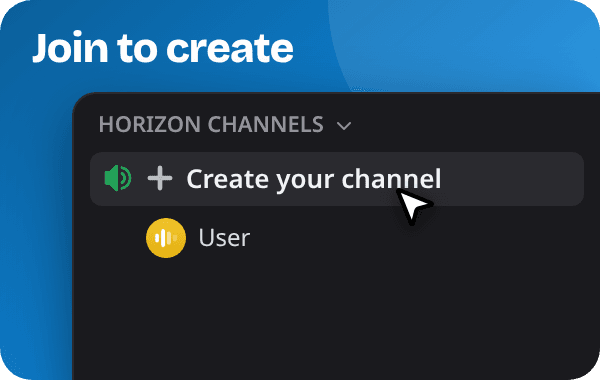
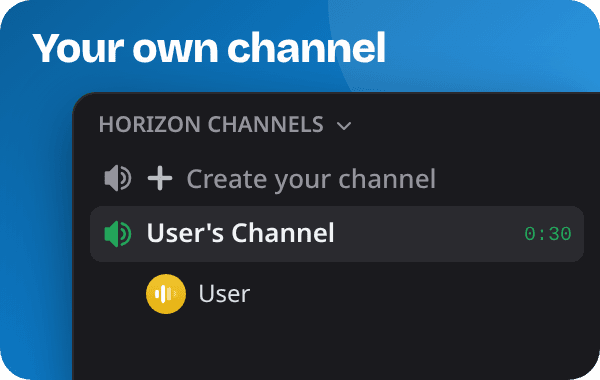
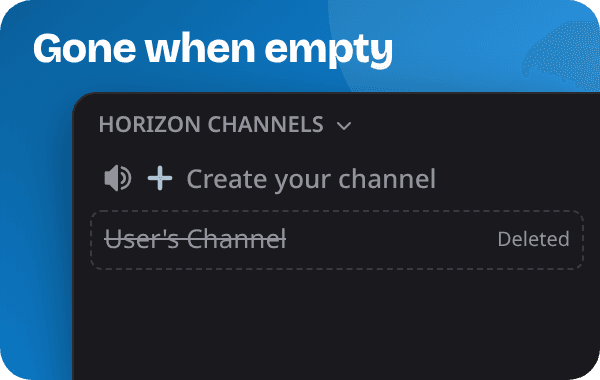
Join Join to Create and get your own temp voice channel.Rename it, set a user limit, or lock it so only your friends get in.When the last person leaves, Horizon deletes it.
What is a temporary voice channel?
A voice channel that Horizon creates the moment you join the Join to Create channel, and deletes again once everyone has left.
Horizon is a temp voice bot for Discord. Members join a Join to Create channel and get their own voice channel, which they can rename, lock and manage themselves. Once everyone leaves, it's gone.
Features of Horizon
Everything you need to run temporary voice channels on your server, and all of it is free.
Your room, your rules.
Rename your temp channel, set a user limit, lock it or hide it. The interface has a button for each. Prefer slash commands? Those work too.


Configure it once, forget it.
Set default permissions, control who can rename or kick, restrict access to mods only. Everything is per-generator, so different channels can have different rules. Easy setup with /setup.
Save your setup, reuse it anytime.
Got a go-to channel setup? Save it to a slot and load it back whenever you need it. Up to three profiles per user. Turn on autosave and Horizon saves your channel every time you leave, so you never have to think about it.
You don't have to do it alone.
Promote up to seven trusted members to channel moderators right from Discord. They can kick, block, manage the trusted list, and invite. They never take ownership, and all assignments clear automatically when the channel closes.
Know what's going on, instantly.
Horizon posts short activity logs right in your voice channel's text chat: who joined or left, and who claimed the channel or got it handed over. Everyone in the channel can see them, and server admins choose which events get logged.
Still not convinced?
There's plenty more under the hood. Take a look at our full documentation for everything Horizon can do. We also have a setup guide.